
Widget Options introduces role restrictions for the Display Logic feature. Administrators can create and manage logic rules, while editors, authors, and other roles can only apply predefined presets.
This update protects display logic code while still allowing content editors to manage widget visibility. The change improves security and keeps widget behavior consistent across the site.
Understanding the Change
Earlier versions allowed users with widget editing access to add or modify display logic code directly inside widgets. This approach worked, but exposed the site to potential errors if a user changed the logic incorrectly.
The new system centralizes logic rules in Widget Options Snippets. Administrators define these rules as reusable presets. Editors and authors can apply the presets when configuring widgets, but they cannot change the logic code.
This structure keeps logic management controlled while preserving flexibility for content teams.
Role-Based Access Changes
Administrators
Administrators retain full control over Display Logic. They can create, edit, and delete logic rules from the Widget Options Snippets page.
These rules act as reusable presets that control when widgets appear on the site.
Because display logic often uses PHP conditions, restricting rule creation to administrators prevents accidental code errors and reduces potential security risks.
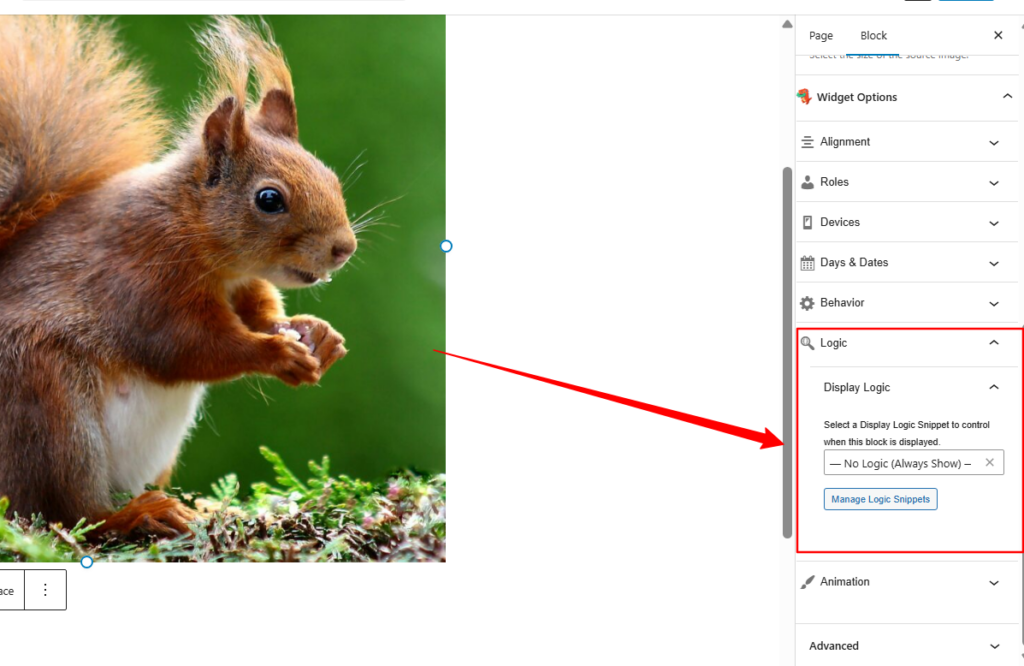
Vs Old Display Logic
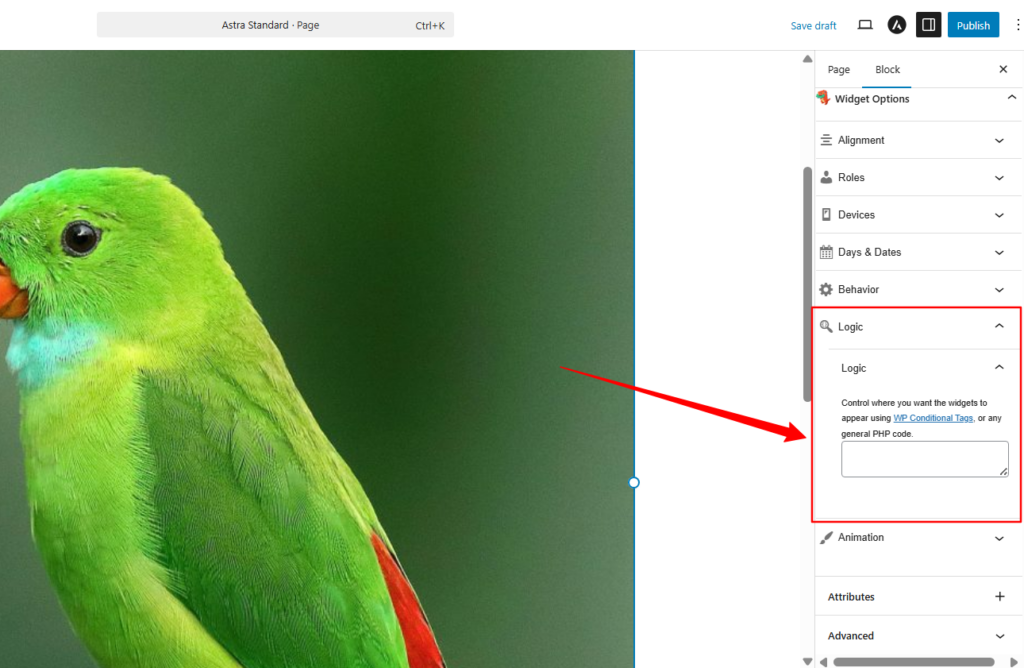
Non-Administrators (Authors, Editors, and Custom Roles)
Non-administrators who can edit widgets can still access the Display Logic panel when configuring widgets.
They can view available presets and select one for the widget they are editing, but they cannot create new logic rules or modify existing ones.
This approach allows editors and authors to manage widget placement safely without working with code.
How the Workflow Works
The updated workflow separates logic creation from widget configuration.
- An administrator creates Display Logic presets in Widget Options Snippets.
- These presets become available in the Display Logic panel inside widget settings.
- Editors, authors, or other custom roles select the appropriate preset when configuring a widget.
- The logic itself remains protected. Only administrators can modify or delete these rules.
This workflow ensures that visibility rules remain consistent while still giving content editors the flexibility to manage widget placement.
Benefits of Role Restrictions
- Improved Security: Reduces the risk of exposing the site to vulnerabilities by preventing non-technical users from modifying PHP-based logic.
- Workflow Clarity: Administrators define logic; editors and authors select presets.
- Consistency Across the Site: Standardized rules reduce errors and unintended widget behavior.
- User-Friendly: Non-administrators can manage widgets without needing programming knowledge
Best Practices
- Administrators should prepare commonly used Display Logic presets before giving access to editors or authors.
- Examples include:
- Display widget only on the homepage
- Show the widget only for logged-in users
- Hide widget for logged-out visitors
- Display widget only on specific categories or pages
- Examples include:
- Use clear and descriptive names for each preset so that editors can easily choose the correct rule.
- Administrators should also review presets periodically to ensure they match the current structure of the site.
Learn More
For detailed setup instructions, see the full Widget Options Display Logic documentation.